
Support
Help with the app, your account and your subscription.
Contact us
Email support@simbavocabulary.com, or in the app open Profile and tap Contact Us. If something is not working, tell us your phone model and what you were doing when it happened.
How can I delete my in-app data?
Follow these steps to permanently delete your account and all of its data from Simba. You need to be signed in with email, Google or Apple to see the Delete Account button.
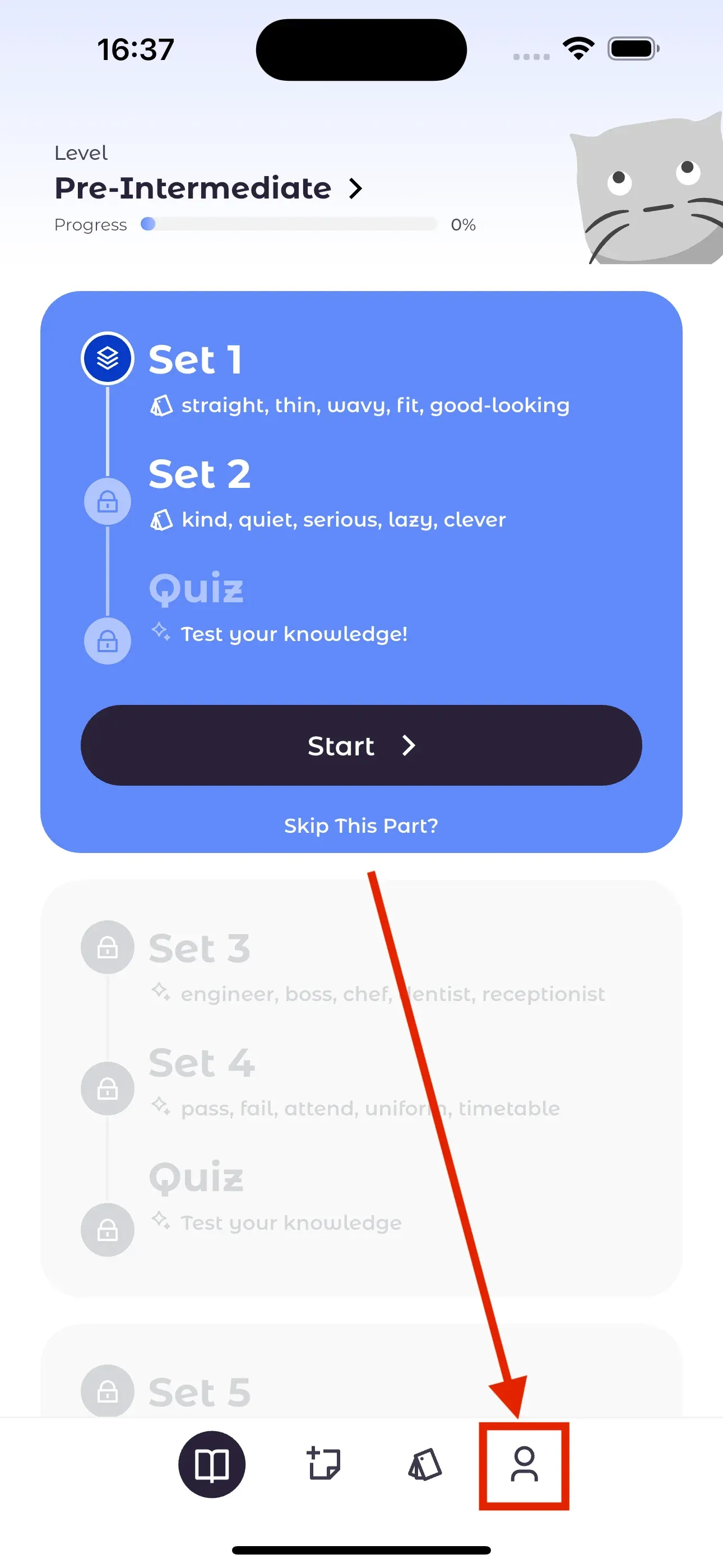
Go to the Profile section within the app
Open Simba and tap Profile, the last tab at the bottom of the screen.
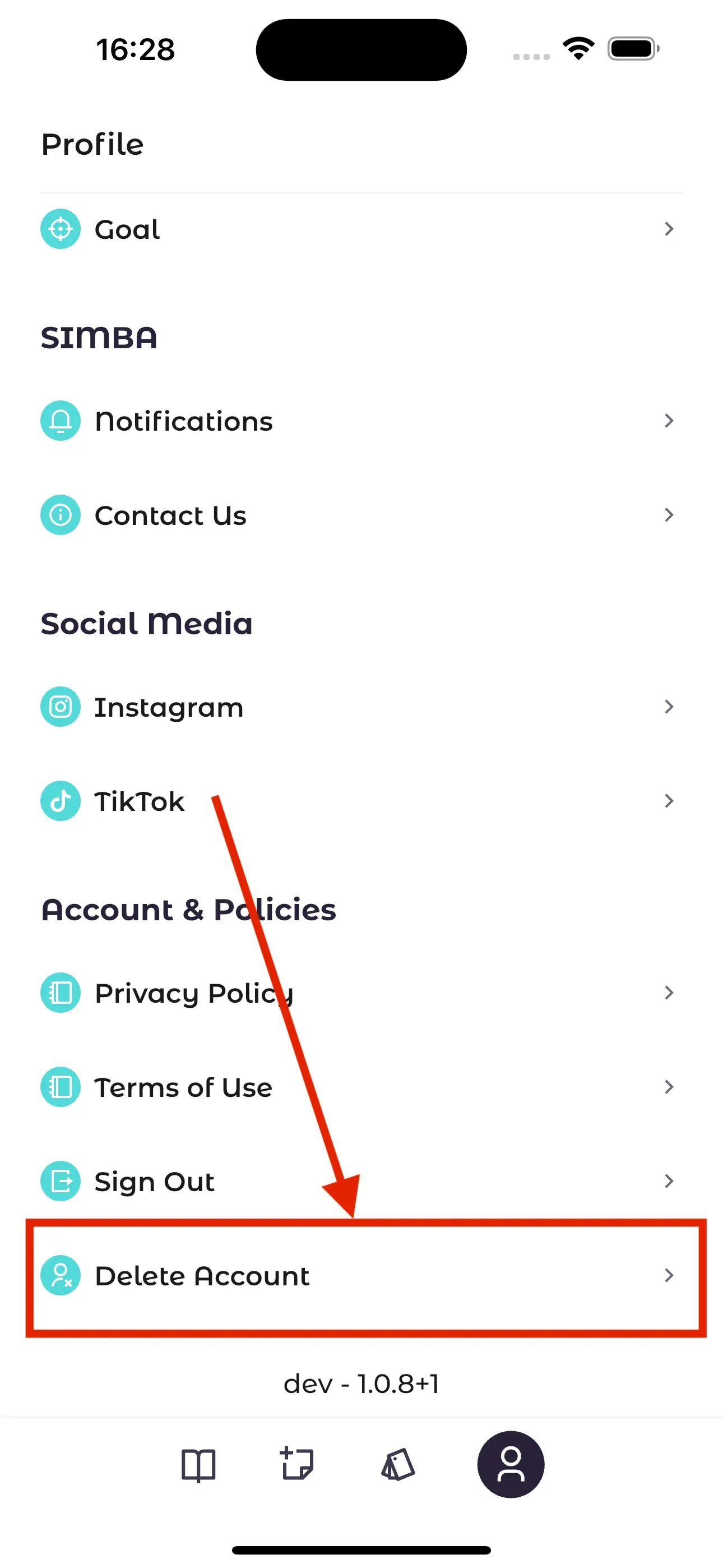
Tap the "Delete Account" button
Scroll to Account & Policies and tap Delete Account.
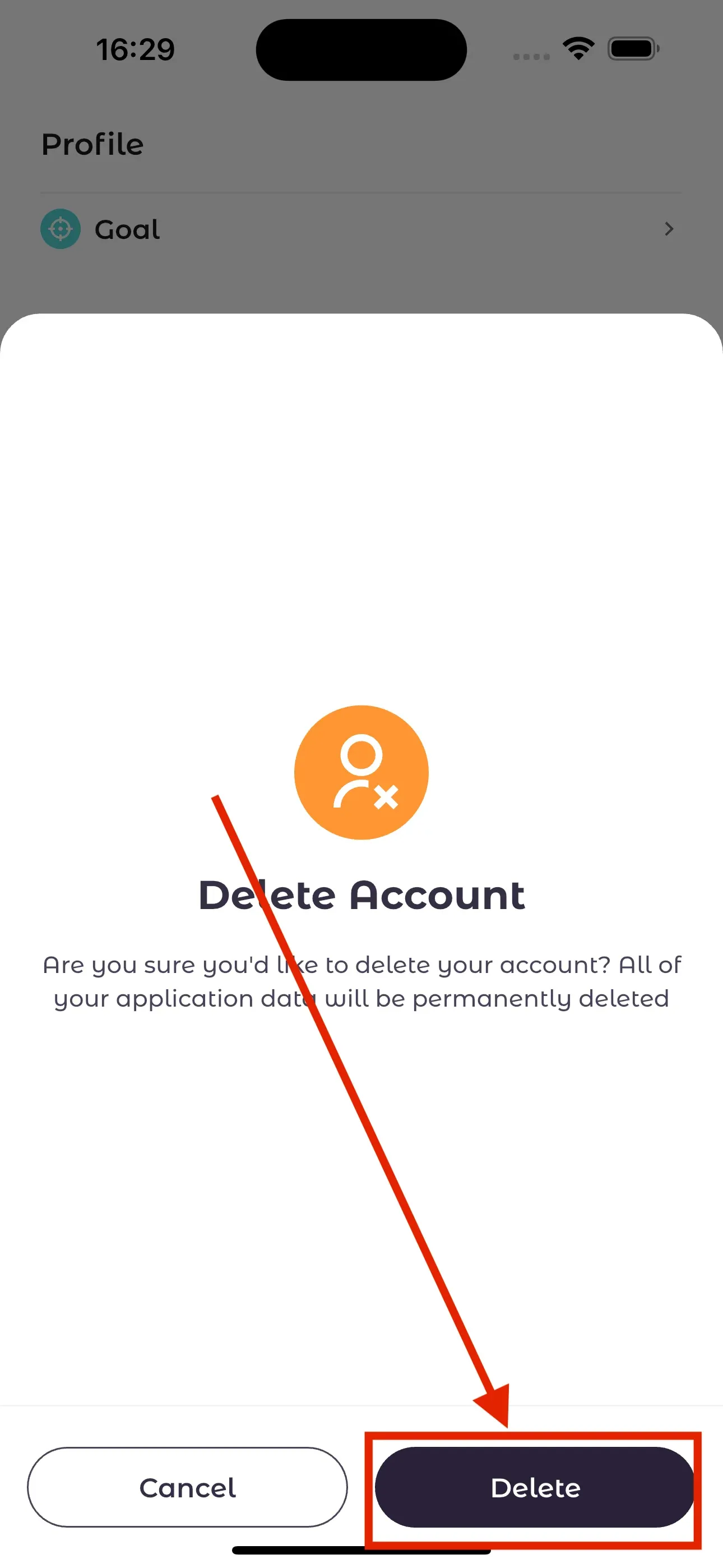
On the confirmation screen, tap "Delete"
A confirmation dialog appears. Tap Delete to continue.
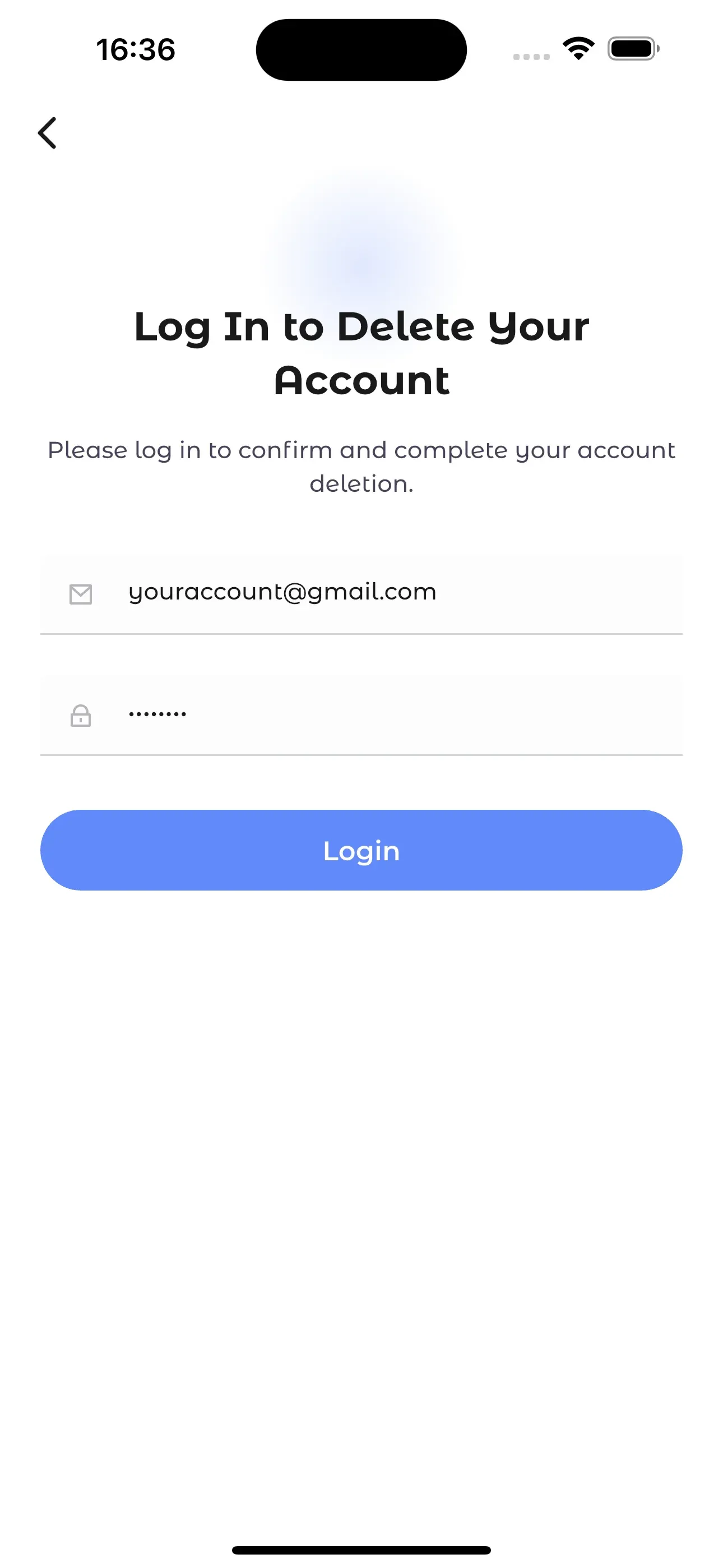
Log in again to finalize deletion
For security, Simba asks you to log in once more. After that, your account and its data are deleted from our servers.
No longer have the app? Request account deletion on the web, or ask us to delete specific data and keep your account.
Subscriptions
Premium is billed by Apple or Google, so changes and cancellations happen in your store account. Deleting the app or your Simba account does not cancel a subscription.
- iPhone and iPad: manage App Store subscriptions.
- Android: manage Google Play subscriptions.
- Bought Premium on another device? Open the Premium screen in the app and tap Restore.